
How to Redeem Plant Brainrot Simulator Codes (Fix Invalid Code)
How to redeem Plant Brainrot Simulator codes on PC & mobile, plus fixes for invalid or expired codes.
If you’re stuck wondering how to redeem Plant Brainrot Simulator codes, this is the fast, practical version. You’ll see the exact screens, the button to press, and the common reasons a code looks “invalid.”
TL;DR: Redeem in 3 Steps
- Open the game and tap Codes.
- Paste your plant brainrot simulator codes and press Redeem.
- Check your inventory/currency if no pop-up appears.
How to Use Codes in Plant Brainrot Simulator
Step 1: Find the codes icon
Look in the top-right for a paper-plane/message-style icon.
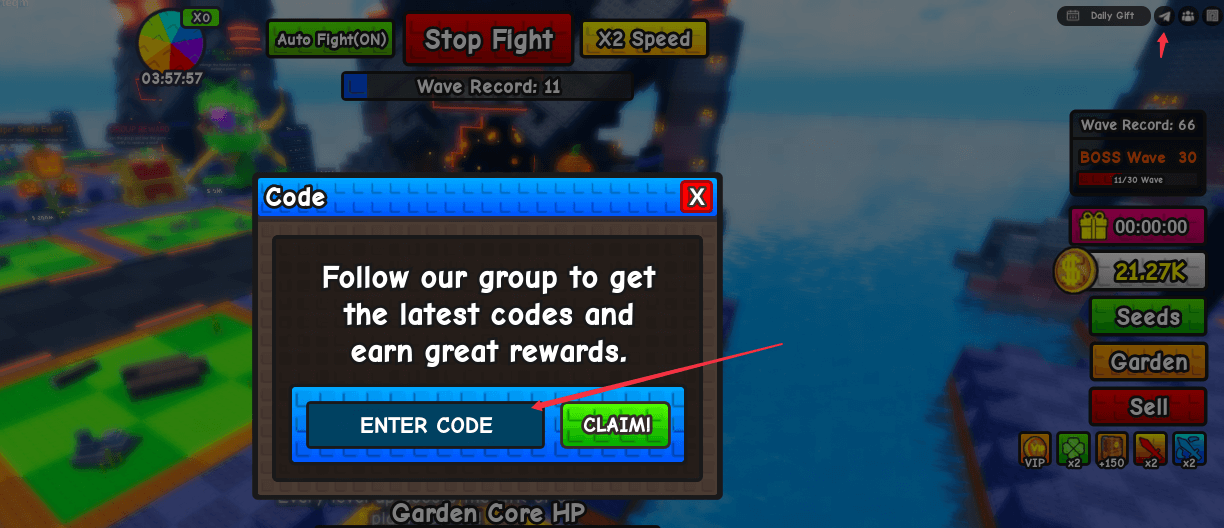
Step 2: Open the redeem window
Tap the icon to open the input box.
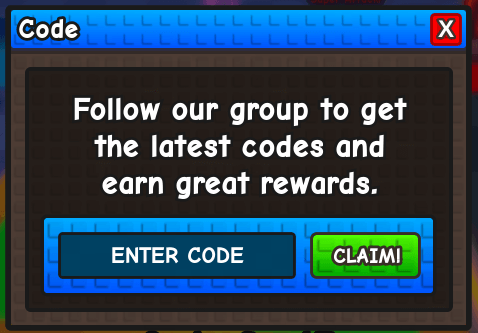
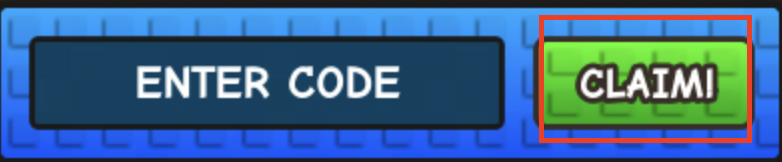
Step 3: Paste the code and confirm
Paste the code, then hit the green button.
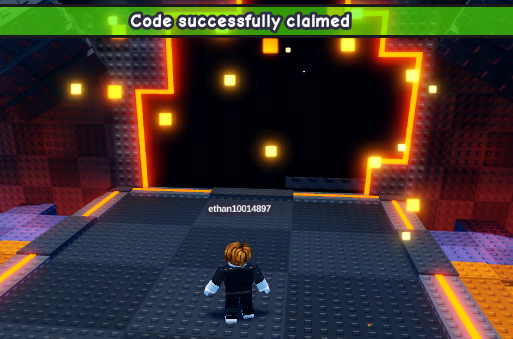
Step 4: Watch for confirmation
Redeem and look for the confirmation message. Some rewards appear quietly.
Step 5: Nothing happened? Check this first
Most codes are not case-sensitive. Typos and extra spaces cause most “invalid” errors.
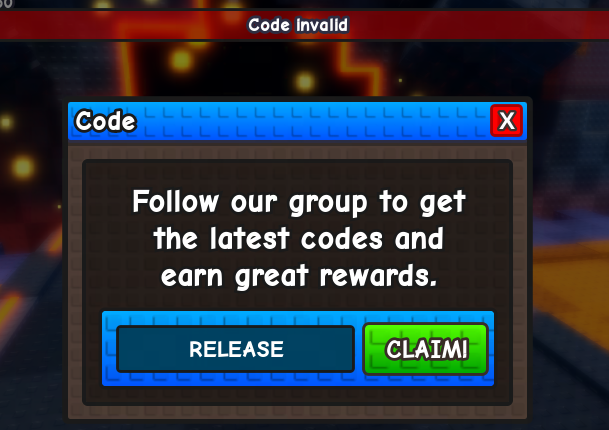
Troubleshooting: Code Not Working
- Expired code: check /codes/expired.
- Case/spacing issues: re‑paste and remove extra spaces.
- Already redeemed: most codes are one-time.
- Requirements: some codes only work during events.
- Server delay: rejoin or swap servers and try again.
FAQ
How often do new codes drop?
Usually during updates or events. Check /codes for the active list.
Are there fake codes?
Yes. Stick to the official active list on /codes.
Related Links
- Active codes: /codes
- Expired codes: /codes/expired
If a code still fails, don’t overthink it. Check the active list again, then use the expired page to confirm whether it’s already gone.