
Plant Brainrot Simulator Codes – Active & Working
Updated active Plant Brainrot Simulator codes with rewards, tested dates, and quick copy.
Active codes
27Last checked: 2026-01-27 (PT)
If you’re searching for a plant brainrot simulator code, this page is the fast plant brainrot simulator codes list with rewards, status, and tested dates.
Active Plant Brainrot Simulator Codes (Working Code List)
Below is a list of currently active codes you can use in the game.
These codes grant free in-game rewards and can help you progress faster, especially in the early stages.
Tip: Click a reward thumbnail to jump to the detailed strategy notes below.
10KDC2ActiveCrystals (pets: slots/eggs)

UPDATE4ActiveCrystals (pets: slots/eggs)

FIXED4ActiveCrystals (pets: slots/eggs)

ITEMS100ActiveSeed Event rolls (fruit lottery)

BOSSFIXActiveCrystals (pets: slots/eggs)

CRYSTAL5000ActiveCrystals (pets: slots/eggs)

CRYSTAL2ActiveCrystals (pets: slots/eggs)

CRYSTAL1ActiveCrystals (pets: slots/eggs)

UPDATE3Active30 spins

FUSE777Active50x Frozen Fruit
BEST999Active50x Flame Fruit

NEW666Active50x Venom Fruit

VIP888Active50x Darkness Fruit

GROW888Active50x Bomb Fruit
REDRESSActive100x Bomb Fruit

kgfruitActive10x KG Fruit
RELEASE1ActiveDamage Potion: +50% damage for 30 min

RELEASE2ActiveSpeed Potion: +50% attack speed for 30 min

RELEASE3ActiveLucky Potion: higher mutation chance for 30 min

1KLIKEActive5x Darkness Fruit (mutations)

5KLIKEActive10x Darkness Fruit (mutations)

NEWFRRUIT1Active10x Bomb Fruit (AOE mutation)

NEWFRRUIT2Active5x Reversion Fruit (undo mutations)
SINP5Active5 spins (wheel/event)

Christmas1Active20x Darkness Fruit (mutations)

Christmas2Active20x Bomb Fruit (AOE mutation)

Christmas3Active20 spins (wheel/event)

💡 New codes are usually released during updates or special events, so be sure to check back often.
How to Redeem (Quick Steps)
- Open the game and look for the Codes button.
- Paste a code, then press Redeem.
- If nothing pops up, check your inventory or currencies.
Need the full walkthrough? Go to /codes/redeem.
Invalid Code? Quick Fixes
- Check for extra spaces or wrong capitalization.
- Some codes are case-sensitive or only valid for a short time.
- You may already have redeemed it once.
- Try switching servers or rejoining.
More fixes here: /codes/redeem.
Expired Codes (Preview)
Recent expired entries (if tracked):
| Code | Reward | Expired on |
|---|---|---|
| RELEASE | — | — |
See the full history at /codes/expired.
Changelog
- Added latest active codes and re-tested rewards.
- Marked status/tested dates on the active list.
- Added quick fixes + expired preview for faster troubleshooting.
Code-by-Code Rewards & Strategy Tips
Click a reward thumbnail in the table to jump to that code’s reward notes below.
Quick jump:
- FIXED4Jump2026-01-25
- UPDATE4Jump2026-01-19
- CRYSTAL1Jump
- CRYSTAL2Jump
- CRYSTAL5000Jump
- BOSSFIXJump
- ITEMS100Jump
- UPDATE3Jump
- RELEASE1Jump
- RELEASE2Jump
- RELEASE3Jump
- 1KLIKEJump
- 5KLIKEJump
- NEWFRRUIT1Jump
- NEWFRRUIT2Jump
- SINP5Jump
- Christmas1Jump
- Christmas2Jump
- Christmas3Jump
- FUSE777Jump
- BEST999Jump
- NEW666Jump
- VIP888Jump
- GROW888Jump
- REDRESSJump
- kgfruitJump
CODE UPDATE4 — 3,000 Crystals (Pets)

Reward: 3,000 crystals.
Use it for: pets. Mostly more pet slots and buying eggs.

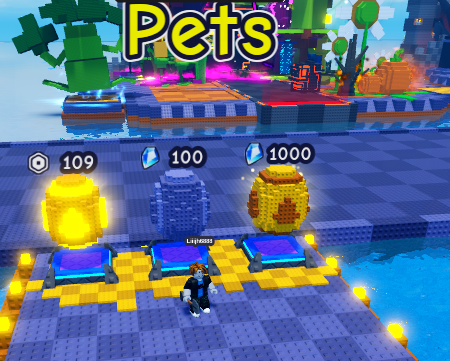
My advice: if you keep hitting “max pets carried,” buy slots first. If you have space, buy eggs.
Prices can change with updates, so trust your UI.
CODE FIXED4 — 500 Crystals
Reward: 500 crystals.
Use it for: a small but helpful early-game boost — usually pet slots or a couple egg rolls if you’re short.
CODE CRYSTAL1 — 1,000 Crystals

Reward: 1,000 crystals.
Use it for: pets (slots/eggs). If you’re always full, slots win.
CODE CRYSTAL2 — 2,000 Crystals

Reward: 2,000 crystals.
Use it for: same thing - slots/eggs. Grab a couple slots if you need them, then roll eggs.
CODE CRYSTAL5000 — 5,000 Crystals

Reward: 5,000 crystals.
This is the “pets shopping spree” code.
My advice: buy enough slots so you stop deleting pets, then spend the rest on eggs.
CODE BOSSFIX — 2,000 Crystals

Reward: 2,000 crystals.
Same deal: pets currency. If you’re not sure, buy slots first.
CODE ITEMS100 — 100 Seed Event Rolls

Reward: 100 Seed Event rolls.
This is basically a fruit lottery. Most rolls are common. The good stuff is low %.
Example Seeds Event screen (your odds/pool can change with updates):
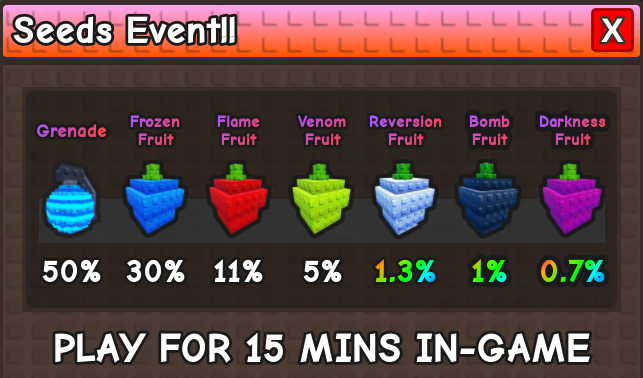
In the screenshot above, the rare lane includes stuff like Reversion (1.3%), Bomb (1%), and Darkness (0.7%).
My advice: roll when you’re ready, and save rare fruits (Bomb/Darkness) for a plant you’re keeping.
CODE UPDATE3 — 30 Spins (Wheel/Event)

Reward: 30 spins.
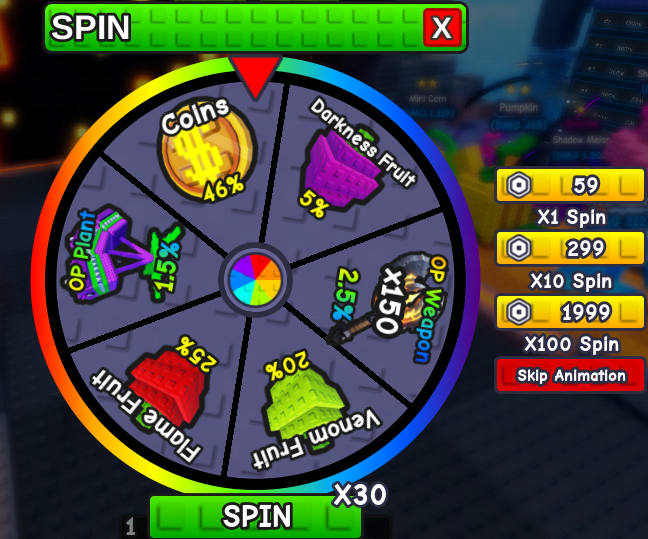
What it’s for: Spins are a flexible “roll” resource. Instead of locking you into one fruit or one potion, they give you multiple chances at event rewards.
How to use :
- Don’t waste spins on “easy” moments. Save them for the point where your run is stuck because you need a specific upgrade boost (more fruits, better rolls, etc.).
- Spend in batches, not 1-by-1. Using many spins back-to-back makes it easier to evaluate results and decide whether you should pivot your build (e.g., lean into AOE vs. control).
- Use the wheel screenshot to sanity-check expectations. The wheel’s drop pool and odds can change with updates/events, so always trust the in-game display.
CODE RELEASE1 — Damage Potion (30 min, +50% damage)

Reward: Damage Potion — increases plant damage by 50% for 30 minutes.
What it’s for: A short, high-impact power window. This is best used to “break through” a difficulty wall (hard wave, boss, or your first big upgrade push after rebirth).
How to use :
- Activate right before a hard push, not at login. The value comes from timing it with your toughest content.
- Pair it with your main carry plant. Spend your coins/materials on upgrading the single plant (or small core team) that does most of your damage, then pop the potion to multiply that investment.
- If you’re early game: Use the potion window to rush upgrades that permanently increase your baseline power, so you keep the benefit after the 30 minutes ends.
CODE RELEASE2 — Speed Potion (30 min, +50% attack speed)

Reward: Speed Potion — increases plant attack speed by 50% for 30 minutes.
What it’s for: More hits per minute. Speed is especially valuable when your build benefits from frequent targeting, “on-hit” effects, and smoother wave clear.
How to use :
- Use it when your team is stable. Attack speed shines when you already have a reliable setup and you’re trying to convert stability into faster clears.
- Best with high-uptime plants. If a plant attacks often and doesn’t “waste” shots, the speed boost has very high practical value.
- Combine with farming. Faster clears usually equals more steady progress per minute during the 30-minute window.
CODE RELEASE3 — Lucky Potion (30 min, higher mutation chance)

Reward: Lucky Potion — increases mutation percentage for 30 minutes.
What it’s for: This is the “mutation session” potion. In the official Discord Q&A, new players asking how to increase mutation percentage were pointed to Lucky Potion.
How to use :
- Plan a 30-minute mutation session. Before you activate it, make sure you already have the plants and fruits you want to use.
- Prioritize your long-term plants first. Mutations are most valuable on plants you won’t replace soon.
- Use it with fruit bundles. If you have a lot of mutation fruits (Darkness/Bomb/Frozen/Flame/Venom), Lucky Potion is the best time to spend them.
CODE 1KLIKE — 5x Darkness Fruit
Reward: 5x Darkness Fruit.
What it’s for: Darkness Fruit is a mutation fruit. It’s typically used for high-impact mutation outcomes (often discussed as strong control/knockback-style power).
How to use :
- Don’t spread them thin. Put mutations on a “keeper” plant (one you plan to keep long-term) instead of mutating throwaway units.
- Use when you need control. If enemies are reaching you too often, control-focused mutations can outperform raw damage.
For a deeper explanation of fruits and mutation types, see: /mutations.
CODE 5KLIKE — 10x Darkness Fruit
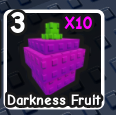
Reward: 10x Darkness Fruit.
How to use : Same logic as 1KLIKE, but the larger quantity means you can:
- Commit to a “Darkness-focused” plan for your core team, or
- Save a portion for later when you unlock a stronger long-term plant.
CODE NEWFRRUIT1 — 10x Bomb Fruit
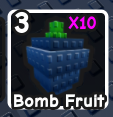
Reward: 10x Bomb Fruit.
What it’s for: Bomb Fruit is commonly associated with AOE wave clear. If your main problem is getting overwhelmed by groups, Bomb-style outcomes are a natural direction.
How to use :
- Spend Bomb Fruit when waves are the problem. If you can’t clear groups fast enough, AOE is usually the correct fix.
- Mutate a plant you use every run. AOE improvements are most valuable on your long-term, high-uptime plants.
CODE NEWFRRUIT2 — 5x Reversion Fruit
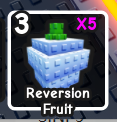
Reward: 5x Reversion Fruit.
What it’s for: Reversion Fruit is the safety net — it lets you undo a mutation you don’t want.
How to use :
- Save at least 1–2 for emergencies. When you’re experimenting, Reversion Fruit protects you from getting stuck with a bad outcome.
- Use it to iterate fast. If you’re chasing a specific mutation style, revert quickly and try again while Lucky Potion is active.
CODE SINP5 — 5 Spins (Wheel/Event)
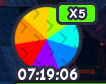
Reward: 5 spins.
How to use :
- Treat 5 spins as “tempo.” It’s enough to fish for one good upgrade that can stabilize a run.
- If you’re close to a milestone: use spins to try to get the last missing resource (coins/fruit/event drop) instead of grinding longer.
CODE Christmas1 — 20x Darkness Fruit
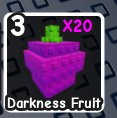
Reward: 20x Darkness Fruit.
How to use : This is enough to meaningfully commit to mutation upgrades. Use it when you have:
- A stable “keeper” plant you’ll keep upgrading, and
- A clear reason to value control/impact over pure farming speed.
CODE Christmas2 — 20x Bomb Fruit
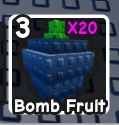
Reward: 20x Bomb Fruit.
How to use : Ideal for wave-clear focused progression:
- Mutate a plant you use every run, then keep upgrading it to scale the AOE effect.
- If you’re currently dying to swarm waves, spend these sooner rather than later.
CODE Christmas3 — 20 Spins (Wheel/Event)

Reward: 20 spins.
How to use :
- Use 20 spins to “rebuild” a run. This amount is big enough to change your resource situation, so consider spending it when you’re stuck.
- Don’t tunnel vision one drop. If the wheel gives you enough of a different resource, it may be optimal to pivot and take the win.
CODE FUSE777 — 50x Frozen Fruit
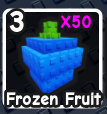
Reward: 50x Frozen Fruit.
What it’s for: Frozen-style outcomes are usually about control (freezing enemies to buy time).
How to use :
- If runs feel unstable, control often improves survival more than a small damage increase.
- Apply Frozen to plants you rely on for consistent hits, so you get more chances to trigger control.
CODE BEST999 — 50x Flame Fruit
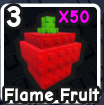
Reward: 50x Flame Fruit.
What it’s for: Flame-style outcomes tend to add extra damage (often a burn-like effect).
How to use :
- Great when enemies barely survive your hits — damage-over-time can “finish” waves without extra upgrades.
- If your plants attack frequently, Flame tends to feel stronger because it has more chances to apply.
CODE NEW666 — 50x Venom Fruit
Reward: 50x Venom Fruit.
What it’s for: Venom/Poison-style outcomes are often associated with slow/debuff control.
How to use :
- If enemies are outrunning your damage, slow effects can make your existing DPS “feel” much higher.
- Venom is a strong general-purpose option when you’re unsure what mutation style to commit to.
CODE VIP888 — 50x Darkness Fruit
Reward: 50x Darkness Fruit.
How to use :
- Use this to power up your core team’s mutation plan, ideally during Lucky Potion time.
- If you’re still learning, start by mutating just 1–2 long-term plants and evaluate the difference before mutating everything.
CODE GROW888 — 50x Bomb Fruit
Reward: 50x Bomb Fruit.
How to use : This amount supports a full AOE-focused session:
- Mutate your most-used long-term plant first.
- Use remaining fruits to upgrade your secondary plant(s) that help with wave clear.
CODE REDRESS — 100x Bomb Fruit
Reward: 100x Bomb Fruit.
What it’s for: This is a huge AOE resource dump. Used correctly, it can move you into a “comfortable farming” state where most waves stop being a problem.
How to use :
- Avoid mutating temporary plants. 100 fruits is too valuable to spend on things you’ll replace soon.
- Do a focused upgrade plan: mutate 1 main wave-clear plant first, then spread to only the plants that are proven core to your build.
- Keep Reversion Fruit ready. If you dislike an outcome, revert quickly instead of “coping” with a bad mutation.
CODE kgfruit — 10x KG Fruit
Reward: 10x KG Fruit.
What it’s for: KG Fruit is a progression item tied to weight (kg). If your current version uses weight-based milestones or stats, KG Fruit helps you reach those thresholds faster.
How to use :
- Use KG Fruit on a plant you’re sure you will keep (your long-term carry), so the progress isn’t wasted.
- If you’re unsure how weight affects your build in the current update, save these and follow the in-game tooltip as the source of truth.
Sources, Testing Notes & Screenshots
I track Plant Brainrot Simulator codes from public sources like the game’s official Discord server and other community-visible notes. “Active” means active at last check (codes expire fast).
Redeem screenshots and step-by-step help live on /codes/redeem. The game sometimes redeems silently, so trust your in-game UI.